I did not need a plot document
I have been working my way through music video production. This time I want to write about whether a plot document is necessary, alongside a quick outline of how I work.
I produce alone, so I have no need to share a concept with anyone. I am also the type who stares at the screen continuously once I start, so until now I never made a blueprint like a plot document — assembling it in my head was enough.
So I built StoryboardMan
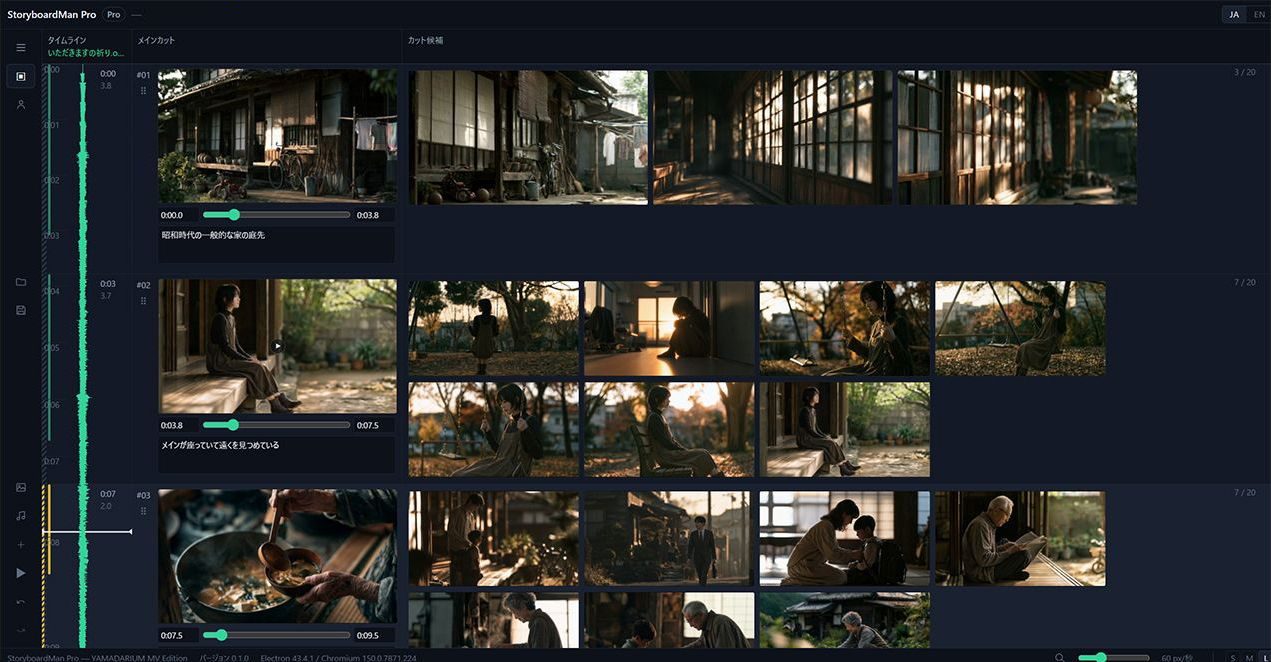
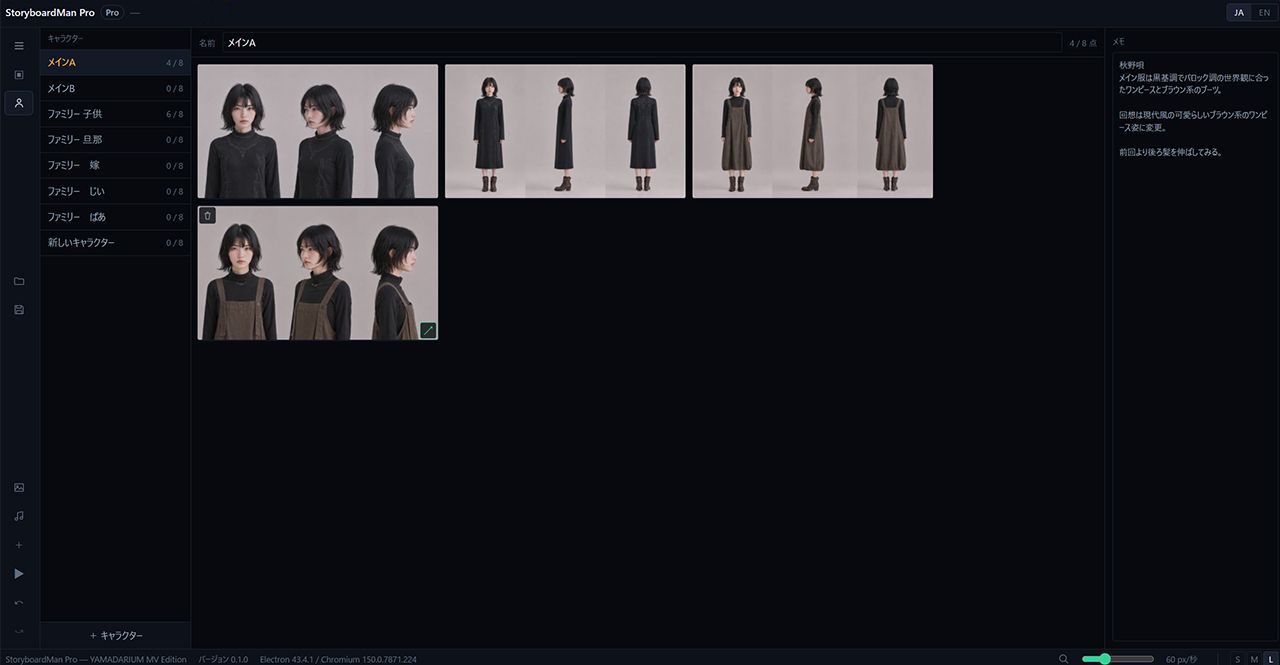
I have now made a piece of software called StoryboardMan. It is intended to be used alongside MV Train Creator, my music video editor, and it bundles plot creation, file management and prompt management. In short, it is software for tidying up the inside of my head.
It started with an unexpected visitor
What pushed me to build it was an unexpected visitor.
I had the concept straight in my head and was working through it when an elderly neighbour dropped by calling, "Yamada, are you in?" I stopped, kept him company, and he left after about thirty minutes — but back at the computer, I could not recall what I had been thinking. I was sure I had worked out a better flow, and nothing would come.
This never used to happen. Lately, when my concentration breaks, the enthusiasm for the work drains away with it and the structure I had assembled in my head simply disappears. I assume memory is becoming more fragmentary with age.
Using AI means more things to keep track of
In my process, I first take the images I picture and output them as stills using AI. Recently I have been using GPT Image 2 and Midjourney.
At this stage there is the work of composing prompts. Japanese alone gets you a reasonable result, but when I want the fine details to come through I find it better to convert to English.
From Japanese prompts to English
For that conversion I have tried Gemini, Claude and Copilot among others. Ask each of them the same thing — "write an English prompt optimised for Midjourney" — and their outputs are similar yet distinctly different.
Ideally you would combine several, and each suits different situations, so I cannot generalise. For how I work, though, Copilot fits.
The ideal image almost never comes out of a single prompt. So you end up layering corrections — "change this part like so" — two or three times over. My impression is that Copilot rarely adds meanings you did not ask for during those successive corrections, and grasps precisely what you wanted changed. It tends to say "changing 1, 2 and 3" and leave everything else alone.
The other important thing is to avoid long prompts. If the first prompt over-specifies the fine detail, later corrections become hard. Copilot outputs concise prompts containing only what is needed, which leaves room to add elements and fine-tune afterwards, and makes correction prompts easier to write.
Stills pile up and become hard to manage
It would be nice to produce only the images you pictured, but that is not how it goes. An AI image passes through language on the way out of your head, so you frequently land on "ah, so that's how it reads."
At the same time, images better than what you imagined do appear. You want to keep those as candidates too, so several variants accumulate per scene. And then you can no longer find the one you wanted.
I built StoryboardMan to help here as well. You can place up to twenty images per scene, so you can manage them inside the app without opening folders.
Keeping a prompt history
Making one music video ends up producing well over a hundred images. Counting video material, more still.
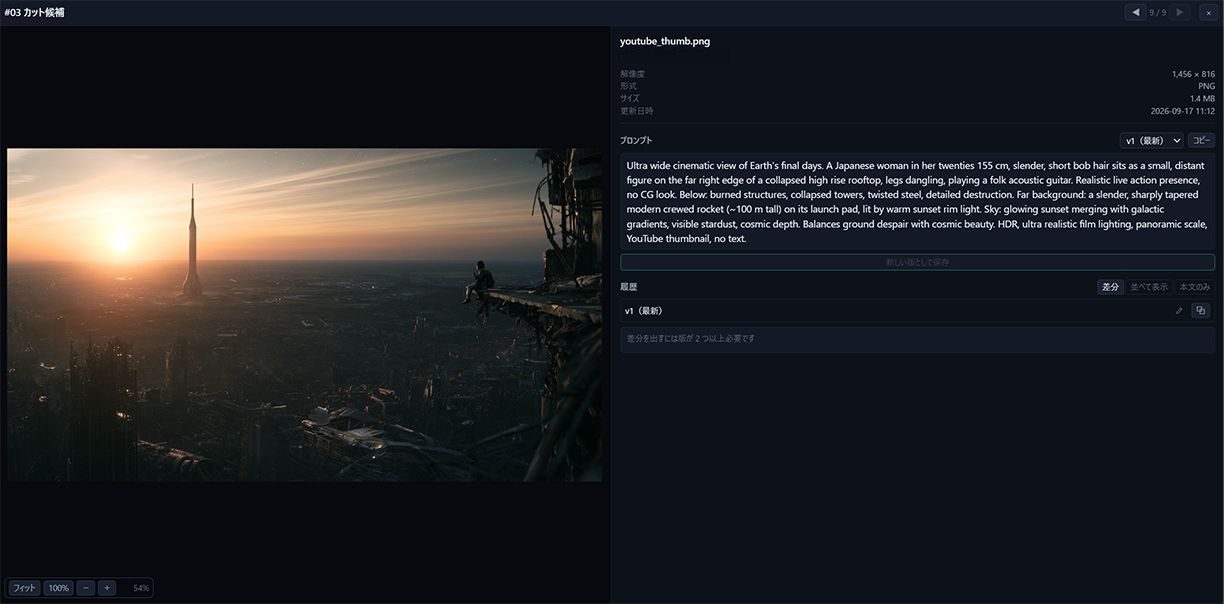
When I start the next video, I sometimes think, "the mood of that image last time was good." But when I go looking for the prompt that produced it, it is buried among other files and will not surface. Rebuilding the prompt from scratch often generates something completely different.
So StoryboardMan saves a prompt per image. Prompts change as you layer corrections, so it keeps the before and after as a diff. That way you can always check the prompt a given image grew out of.
Doing the work with your own hands
This turned into a short introduction to the plotting software I use. Like MV Train Creator, StoryboardMan will go on the Microsoft Store once it is ready, and an introduction page is in progress here on the site.
There is a current trend toward automating caption insertion and scene cutting with AI. As a way of simplifying labour, automation is convenient.
Personally, though, I think doing the laborious parts yourself lets you notice things. Reviewing footage, you catch a typo; watching it repeatedly, you feel "this bit is wrong."
Of course, depending on the kind of video, there are cases where spending time on captions and cuts carries no real meaning. It depends, so I cannot generalise. With that said, I hope this turns out to be useful software for people who want to do themselves what they are able to do themselves.